
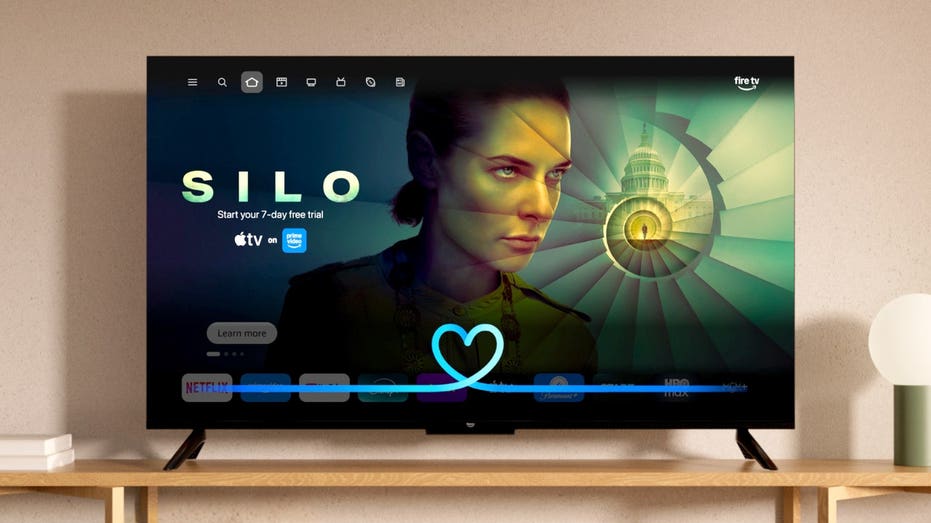
AI is coming to your TV, and if you own a compatible Fire TV, Amazon may add it without you doing anything. Amazon is rolling out Alexa+ to compatible Fire TV devices across the U.S. at no additional cost. You do not need an Amazon Prime membership for the Fire TV experience. There is no app to download or subscription to activate either. Eligible devices get upgraded automatically.
That means millions of televisions and streaming devices are gaining a more conversational AI assistant. But what you probably really want to know is: What can you actually say to it?
There is also a privacy question worth answering. Some Fire TV devices have hands-free microphones while others rely on the microphone button on the remote. Alexa also stores information about your interactions depending on your settings. So, here is how to try Alexa+ on your Fire TV and how to check the controls behind it.
Missed CyberGuy LIVE? Watch the Protect Your Money replay
Our free CyberGuy LIVE class, Protect Your Money From Today’s Biggest Threats, has ended, but you can still watch the full replay and download our financial protection checklist. Kurt "CyberGuy" Knutsson walks you through five simple ways to help defend yourself against AI scams, fraud, identity theft and financial hacks. You’ll learn how to set up bank alerts, strengthen your account logins, protect your phone number, freeze your credit and help secure your retirement savings against unauthorized transfers. No technical experience is needed.
Get the free replay and checklist now at CyberGuyLive.com
ALEXA+ LETS YOU ORDER FOOD LIKE A REAL CONVERSATION
The old Alexa worked best when you gave it a fairly direct command. Alexa+ can understand more natural conversations and follow-up questions.
For example, you can describe the kind of movie you want rather than knowing its title. Then you can narrow the results without repeating your entire request.
Amazon says Alexa+ users are having nearly twice as many conversations on Fire TV compared with the original Alexa. The company also says viewers choose Alexa's top movie recommendation more than 40% more often than they did previously.
The assistant reaches beyond entertainment too. It can interact with compatible smart home devices and display supported camera feeds. You can also ask general questions while you watch TV.
How you talk to Alexa+ depends on the Fire TV hardware you have.
If you use a Fire TV Stick: Press and hold the Alexa or microphone button on your Alexa Voice Remote. Say what you want, then release the button. Amazon says current Fire TV Sticks use the remote for voice control. Hands-free control requires a linked Echo device.
If you use a Fire TV Cube: You can press the microphone button on the remote or speak to Alexa from across the room. The current Fire TV Cube supports native hands-free Alexa through its built-in microphone array.
If Alexa is built into your smart TV: Capabilities vary by model. Some supported televisions have hands-free Alexa while others rely on the voice remote or a linked Echo. Amazon's device specifications identify which models support far-field voice control.
Once Alexa+ appears on your Fire TV, there is no special Alexa+ mode you need to open. Just start talking to it.
The real fun starts when you stop treating Alexa like a search box. Try conversational requests and follow up naturally. Some features depend on the streaming service, your subscriptions and the smart home devices connected to Alexa.
Amazon specifically highlights conversational entertainment searches, follow-up questions, Ring camera feeds, smart home controls and general information requests as part of Alexa+ on Fire TV. It also supports jumping directly to described scenes in thousands of Prime Video movies.
That last feature may be especially useful when you are trying to find one memorable moment without dragging the progress bar back and forth.
CHEAP STREAMING BOX COULD HIJACK YOUR HOME INTERNET
If your current television still works perfectly, a streaming stick may be the easiest way to add the newer Fire TV experience.
Amazon's latest Fire TV Stick HD supports Wi-Fi 6 and includes voice control through the Fire TV remote. It is designed for HD streaming and can also work with a linked Echo for hands-free Alexa control.
The Fire TV Stick 4K Plus supports 4K Ultra HD, Dolby Vision, HDR10+ and Dolby Atmos. It includes an Alexa Voice Remote. Like the other current sticks, hands-free Alexa requires a linked Echo.
The Fire TV Cube makes the most sense if you specifically want to speak to Alexa without reaching for the remote. Amazon's current Cube has a four-microphone array and supports native hands-free Alexa.
To compare these Fire TV options and find links to the models we recommend, visit CyberGuy.com.
This is where the type of Fire TV you own makes a big difference. If you have a Fire TV Stick, the streaming stick itself does not provide native hands-free Alexa. You normally press the microphone button on the Alexa Voice Remote when you want to speak. Amazon says a blue indicator appears on the television when the remote is recording your request and sending it to the cloud. If you pair that Fire TV Stick with an Echo, the Echo can provide hands-free voice control.
The Fire TV Cube works differently. It has built-in microphones designed to hear the Alexa wake word from across the room. Amazon says supported hands-free Fire TV devices use on-device wake-word detection. Once the device recognizes the wake word, audio is sent to Amazon's cloud for processing. Amazon says that audio can include a fraction of a second from immediately before the wake word. That is worth knowing before you start using Alexa+ heavily.
If your Fire TV device supports hands-free Alexa, look for its microphone-off button or switch. Amazon says using that control disconnects power to the microphones. A red light appears to show that the microphones are disabled.
With the microphones off, that device cannot record or stream audio when you say the Alexa wake word. You can still use an Alexa Voice Remote because the remote has its own microphone that activates when you press its voice button. That gives you a useful middle ground. You can disable hands-free listening while keeping voice commands available whenever you intentionally press the remote button.
Alexa can support follow-up requests so you do not have to repeat the wake word every time. If you prefer Alexa to stop listening after each request, Amazon says you can disable Follow Up Mode in your device settings or through the Alexa app. There is an even easier option. Say: "Alexa, turn off Follow Up Mode." Amazon confirms that voice command can disable the feature.
If you are going to use Alexa+ more often, I would spend a minute looking at your Alexa history.
Here you can review voice recordings, transcripts and typed Alexa requests associated with your Amazon account. Amazon says you can also delete them.
Amazon provides controls here for managing how your voice recordings are retained and whether they can be used to improve its services.
If you use Alexa to control lights, cameras or other connected equipment, check More > Alexa Privacy > Manage Your Alexa Data > Smart Home Device History as well.
Amazon says you can delete that history or have certain smart home information automatically deleted after three or 18 months. Keep in mind that deleting Alexa history may affect personalization and certain Alexa features.
NEW AMAZON AI SEARCH TURNS WORDS INTO SHOPPABLE IMAGES
Alexa privacy is only one part of the equation. Fire TV has its own data settings.
Amazon notes that turning these settings off does not stop every form of data collection. Some device information still gets processed to provide features, troubleshoot problems and operate Amazon services. Apps such as Prime Video may have separate privacy controls too. These settings are device-specific. If you have more than one Fire TV in the house, Amazon says you need to review the settings on each one.
Here is an important detail that could easily get lost in the word "free." Compatible Fire TV owners in the U.S. can now use many Alexa+ features on their television at no additional charge, regardless of whether they have Prime.
However, Amazon still charges $19.99 a month for its broader Alexa+ Standard Plan for non-Prime members. Prime members receive the broader Alexa+ experience as part of Prime. Prime or the Alexa+ Standard Plan also unlocks additional capabilities. Amazon lists Alexa Routines, access to specific Ring camera moments and advanced Home Modes among the extra Fire TV features. Subscribers also get Alexa+ on compatible Echo devices. So, you can get plenty of Alexa+ functionality on a compatible Fire TV without paying another monthly fee. Just do not assume every Alexa+ feature across every Amazon device has become free.
For most Fire TV owners, the biggest improvement will probably be search. Scrolling through endless rows of movies can get old fast. Being able to describe what you want and then refine the results by talking naturally could make Alexa+ genuinely useful. Smart home controls add another layer. If you already use Ring cameras, compatible lights or connected locks, the television becomes another place to manage them. The automatic upgrade deserves attention too.
You may suddenly have an AI assistant with new capabilities on a device you have owned for years. That makes this a good time to understand whether your particular Fire TV has hands-free microphones and review the privacy choices connected to Alexa. You can use the convenience without leaving every data setting untouched.
I like the direction Amazon is taking with Alexa+ on Fire TV because voice search badly needed an upgrade. Asking for a movie the way you would describe it to a friend feels far more useful than remembering an exact title. The hands-on features are where this gets interesting. I can see myself asking about an actor while watching a movie or pulling up a front-door camera without reaching for my phone. Still, an automatic AI upgrade should also trigger an automatic privacy check in your head. First, find out where the microphone actually lives. A Fire TV Stick's remote works differently from the hands-free microphones in a Fire TV Cube. Then look through Alexa Privacy and the Fire TV Privacy Settings menu. You may decide you are comfortable with everything exactly as Amazon configured it. You may also find a few switches you would rather change. Either way, that choice should belong to you.
Would you rather have Alexa+ automatically added to your Fire TV, or should Amazon make AI features like this something you choose to turn on yourself? Let us know by writing to us at Cyberguy.com.
Sign up for my FREE CyberGuy Report
Copyright 2026 CyberGuy.com. All rights reserved.