
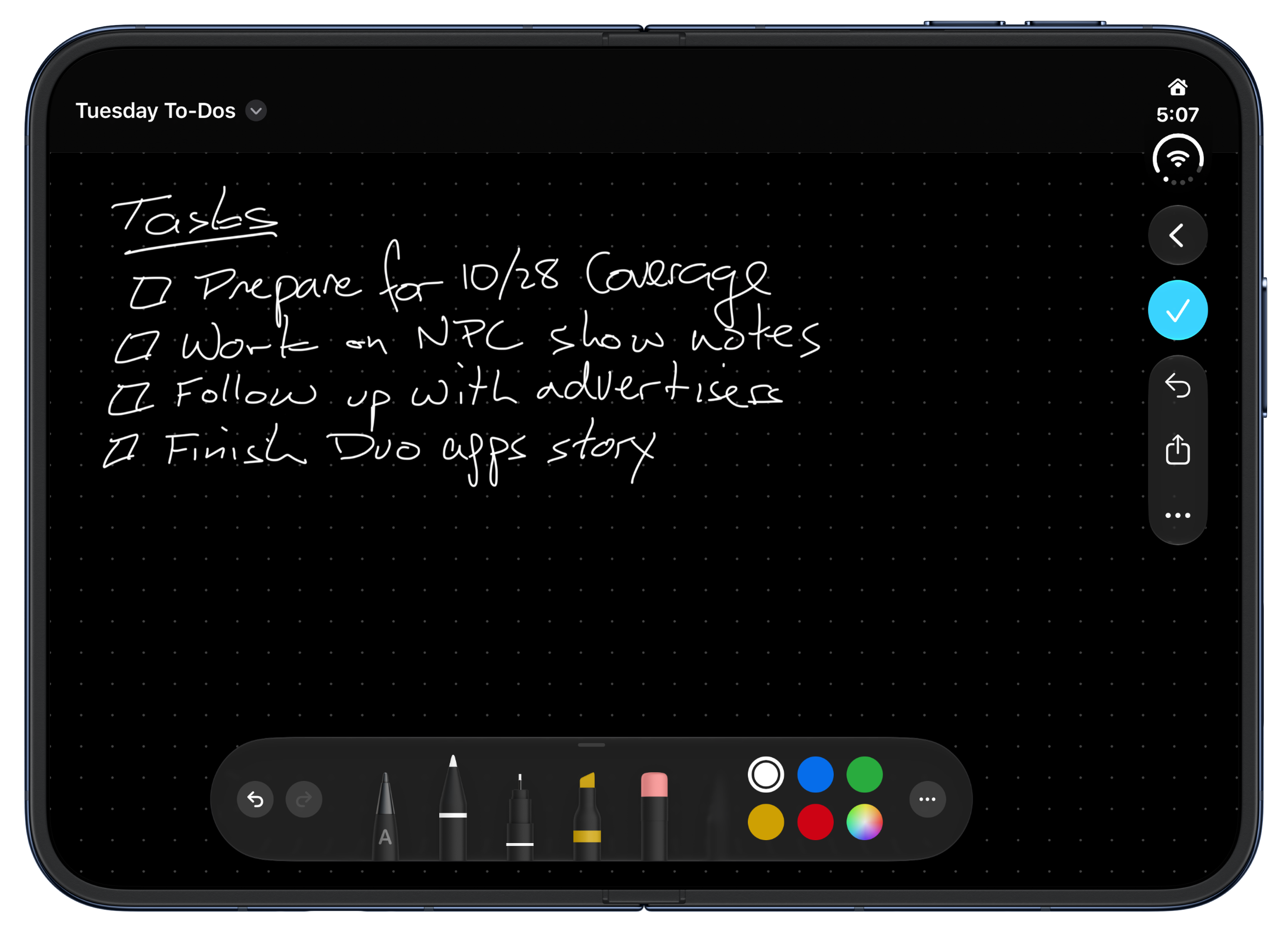
The iPhone Duo now supports the Apple Pencil (USB-C).
It’s been just six weeks since iOS and iPadOS 27 were released, but Apple just introduced version 27.2, which packs a surprisingly long list of new features, some of which were first announced back in June at WWDC, while others support the iPhone Duo. Let’s take a look at the highlights.
The iPhone Duo already has a couple of great updates. The first is support for the Apple Pencil (USB-C). That’s the model that reveals a USB-C port when you pull on the end of it. I played around with the Duo’s Apple Pencil support over the weekend and think a lot of people are going to love it. The Duo feels so much like a tiny notebook already that writing with the Pencil is very natural whether you’re using Apple’s Notes or Freeform, or one of the many new skeuomorphic note-taking apps that have been released for the Duo.
Excluding apps from Siri AI.
The Duo also gained support for Edge Light, which frames your Duo’s screen in a faux ring light, illuminating your face when you’re on a video call or filming yourself with the front-facing camera.
One of the limitations of the initial beta release of Siri AI was its lack of access to past conversations. With iOS and iPadOS 27.2, Siri can recall past conversations (English only), which is great, especially if you use Siri a lot. Siri has added new data sources too, like images attached in the Messages app, voicemail, and Calendar event attendees, along with better browsing history and Reading List results. Siri AI has also added a centralized setting for excluding apps from its results, along with beta support for French, Japanese, Korean, Portuguese, and Spanish.
Recalling past Siri conversations.
FaceTime has added new features too. Dual Capture, which streams the front and rear cameras of recent iPhones at the same time, now works in Group FaceTime calls. Third-party sign language interpreters or live captioners can be added to a call too, an accessibility feature that I first saw demoed back in May.
Messages has added suggested actions, like adding an event to Calendar, that draw on the context of your conversation. The feature showed up over the summer during the public beta but didn’t make the final release of iOS 27. It’s not a feature I use a lot, but for quickly capturing information in other apps when you’re pressed for time, it can really be handy.
Other iOS and iPadOS 27.2 updates include:
- Shared Albums in Photos include reminders before they expire, so you can save photos and videos before the deadline. The feature also adds caption and comment editing.
- Podcasts’ Up Next section has been organized into New Episodes and Continue Playing, to help differentiate active from untouched episodes.
- Games has added context on friend suggestions and now shows what friends are playing on their player pages.
- Apple TV’s Multiview has expanded to the iPhone, allowing you to watch four Apple TV sporting events at once, an especially nice option for the iPhone Duo.
Of these, I expect that I’ll use the Apple Pencil support for the iPhone Duo and Apple Podcasts’ Up Next categories the most, but given the variety of the release, I suspect there’s a little something for most users here.
Today’s updates are available by navigating to Settings > General > Software Update.